
iOS
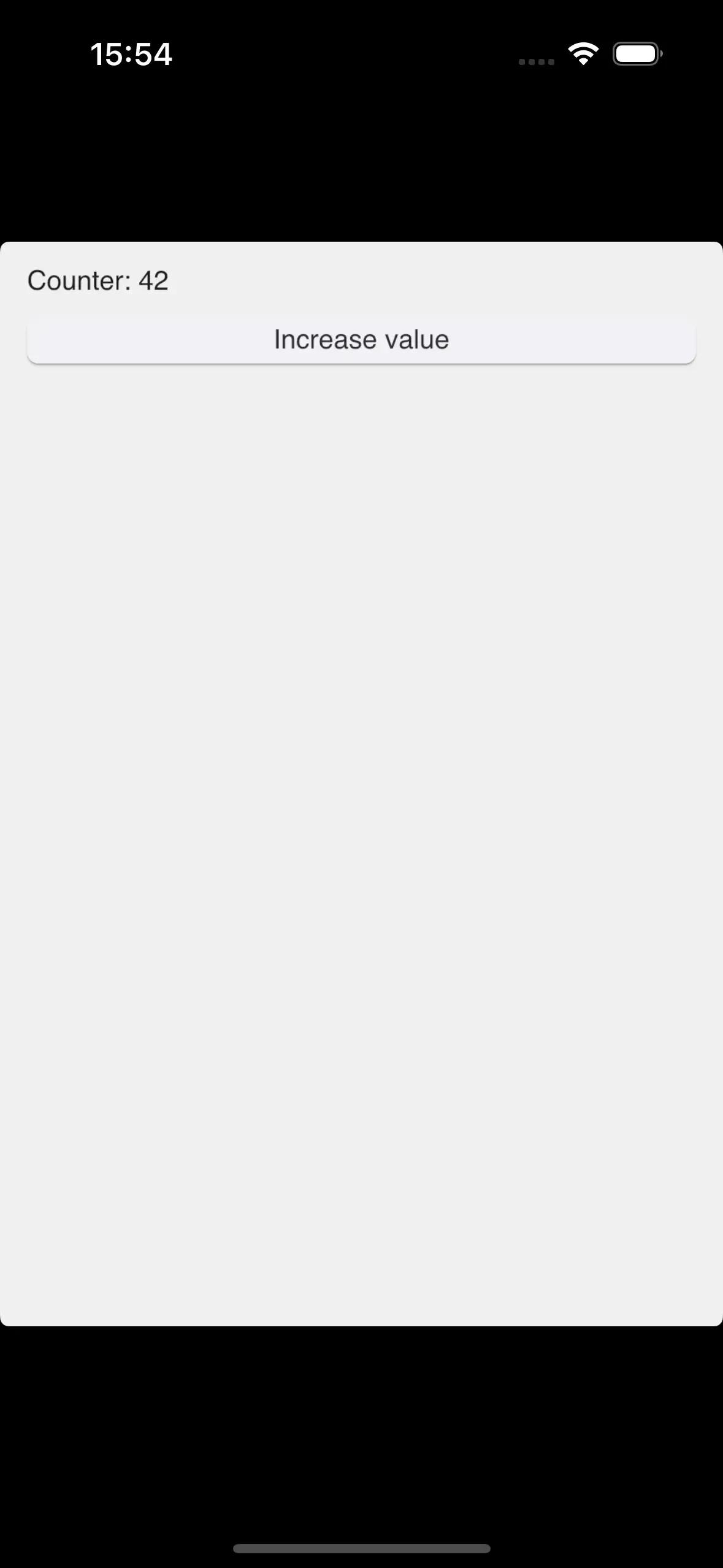
A Rust-based Slint application can be cross-compiled to iOS and runs on iPhones, iPads, and their respective simulators. This is implemented through the Winit backend and the Skia Renderer.
Prerequisites
Section titled “Prerequisites”- A computer running macOS.
- An up-to-date installation of Xcode ↗.
- Xcodegen ↗.
- Rust ↗
- The Rust device and simulator toolchains. Run
rustup target add aarch64-apple-iosandrustup target add aarch64-apple-ios-simto add them.
Adding iOS Support to an existing Rust Application
Section titled “Adding iOS Support to an existing Rust Application”The following steps assume that you have a Rust application with Slint prepared. If you’re just getting started, use our Slint Rust Template ↗ to get a minimal application running.
Use XCode to building, deploy, and submit iOS applications to the App Store. Use Xcodegen ↗ to create an Xcode project from a minimal description.
- Verify that your application compiles for iOS, by running:
cargo build --target=aarch64-apple-ios- Create a file called
project.ymlwith the following contents:
name: My Appoptions: bundleIdPrefix: com.companysettings: ENABLE_USER_SCRIPT_SANDBOXING: NOtargets: MyApp: type: application platform: iOS deploymentTarget: "13.0" info: path: Info.plist properties: UILaunchScreen: - ImageRespectSafeAreaInsets: false UIApplicationSceneManifest: UIApplicationSupportsMultipleScenes: false UISceneConfigurations: UIWindowSceneSessionRoleApplication: - UISceneConfigurationName: Slint UISceneDelegateClassName: SlintWindowSceneDelegate sources: [] postCompileScripts: - script: | ./build_for_ios_with_cargo.bash slint-rust-template outputFileLists: $TARGET_BUILD_DIR/$EXECUTABLE_PATHAdjust the name, bundle id, and other fields as needed.
This configuration file delegates the build process to cargo through a shell script.
The UIApplicationSceneManifest entry opts the app into UIKit’s scene lifecycle,
which iOS 27 requires: an app without it fails to launch.
SlintWindowSceneDelegate is the scene delegate that Slint’s winit backend provides,
and it attaches Slint’s windows to the scene that UIKit connects.
Keep the entry as it is.
For background on the requirement, see Apple’s
TN3187 ↗.
- In a new file called
build_for_ios_with_cargo.bash, paste the following script code:
#!/usr/bin/env bash# Copyright © SixtyFPS GmbH <info@slint.dev># SPDX-License-Identifier: GPL-3.0-only OR LicenseRef-Slint-Royalty-free-2.0 OR LicenseRef-Slint-Software-3.0
set -euvx
# Fix up PATH to work around https://github.com/rust-lang/rust/issues/80817 and add cargo.export PATH="/usr/local/bin:/usr/bin:/bin:/usr/sbin:/sbin:$PATH:$HOME/.cargo/bin"
# based on https://github.com/mozilla/glean/blob/main/build-scripts/xc-universal-binary.sh
if [[ "$CONFIGURATION" != "Debug" ]]; then    CARGO_PROFILE=release    MAYBE_RELEASE=--releaseelse    CARGO_PROFILE=debug    MAYBE_RELEASE=fi
# Build with debug info so a dSYM can be produced below. Release builds carry no# debug info by default, which makes the archive fail validation with a missing# dSYM for the (cargo-built) executable.export CARGO_PROFILE_RELEASE_DEBUG="${CARGO_PROFILE_RELEASE_DEBUG:-1}"
# Make Cargo output cache files in Xcode's directoriesexport CARGO_TARGET_DIR="$DERIVED_FILE_DIR/cargo"
# Xcode Cloud exposes its build counter as CI_BUILD_NUMBER. Forward it as# SLINT_BUILD_NUMBER so the viewer's idle screen can show which CI build it# came from. Local Xcode builds don't set CI_BUILD_NUMBER, in which case we# leave SLINT_BUILD_NUMBER unset and the idle screen omits the build line.if [ -n "${CI_BUILD_NUMBER:-}" ]; then    export SLINT_BUILD_NUMBER="$CI_BUILD_NUMBER"fi
IS_SIMULATOR=0if [ "${LLVM_TARGET_TRIPLE_SUFFIX-}" = "-simulator" ]; then  IS_SIMULATOR=1fi
executables=()for arch in $ARCHS; do    case "$arch" in        arm64)            if [ $IS_SIMULATOR -eq 0 ]; then              CARGO_TARGET=aarch64-apple-ios            else              CARGO_TARGET=aarch64-apple-ios-sim            fi            ;;        x86_64)            export CFLAGS_x86_64_apple_ios="-target x86_64-apple-ios"            CARGO_TARGET=x86_64-apple-ios            ;;    esac
    cargo build $MAYBE_RELEASE --target $CARGO_TARGET --bin "$1" "${@:2}"
    executables+=("$DERIVED_FILE_DIR/cargo/$CARGO_TARGET/$CARGO_PROFILE/$1")done
# Combine executables, and place them at the output path excepted by Xcodelipo -create -output "$TARGET_BUILD_DIR/$EXECUTABLE_PATH" "${executables[@]}"
# Generate a dSYM for the executable into the folder Xcode collects dSYMs from# for the archive. Xcode only produces dSYMs for what it compiles, not for this# cargo-built binary, so without this the archive has no dSYM matching its UUID.if [ -n "${DWARF_DSYM_FOLDER_PATH:-}" ] && [ -n "${DWARF_DSYM_FILE_NAME:-}" ]; then    mkdir -p "$DWARF_DSYM_FOLDER_PATH"    dsymutil "$TARGET_BUILD_DIR/$EXECUTABLE_PATH" -o "$DWARF_DSYM_FOLDER_PATH/$DWARF_DSYM_FILE_NAME"fi
# Force code signing every run for device builds (non-simulator), unless code# signing is disabled (e.g. unsigned archive builds with CODE_SIGNING_ALLOWED=NO).if [ $IS_SIMULATOR -eq 0 ] && [ "${CODE_SIGNING_ALLOWED:-YES}" != "NO" ] && [ -n "${EXPANDED_CODE_SIGN_IDENTITY:-}" ]; then # Only pass --entitlements when the .xcent file is non-empty (needed for Xcode Cloud). ENTITLEMENTS_FILE="${TARGET_TEMP_DIR}/${PRODUCT_NAME}.app.xcent" if [ -s "$ENTITLEMENTS_FILE" ]; then codesign --force --sign "${EXPANDED_CODE_SIGN_IDENTITY}" \ --entitlements "$ENTITLEMENTS_FILE" \ "${TARGET_BUILD_DIR}/${EXECUTABLE_PATH}" else codesign --force --sign "${EXPANDED_CODE_SIGN_IDENTITY}" \ "${TARGET_BUILD_DIR}/${EXECUTABLE_PATH}" fifi-
Make the script executable with
chmod +x build_for_ios_with_cargo.bash. -
Run
xcodegento createMy App.xcodeproj, and open it in Xcode. Now you can build, deploy, and debug your iOS application.
© 2026 SixtyFPS GmbH